
01 / THE BEGINNING
Start where it
really started.
Choose the original date, even if it was years ago. Add an icon and a few notes. Your project’s elapsed calendar age is there at a glance.
A little perspective on your projects
See how far you’ve come. Keep the original start date, make room for pauses, and see the life of every project in calendar time.
App Store release in preparation
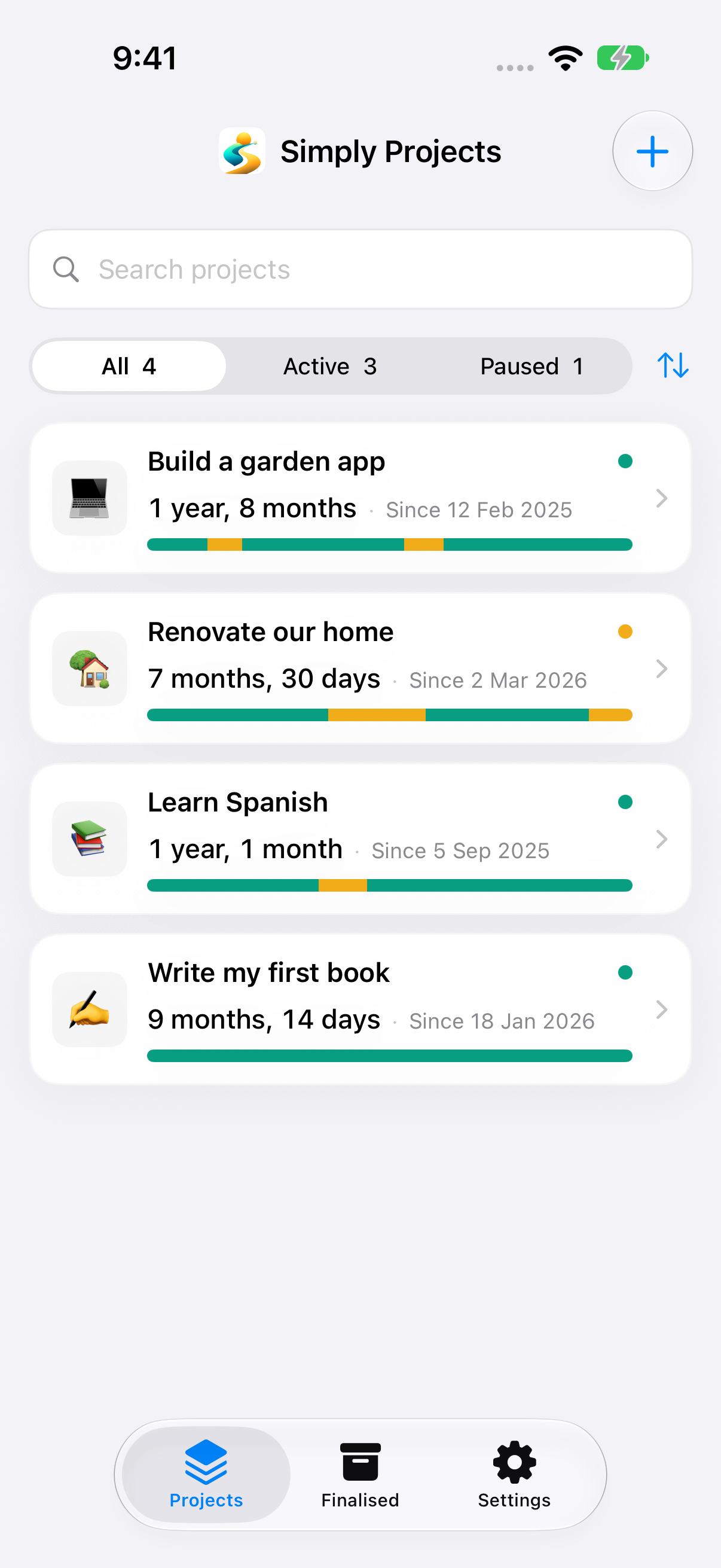
The whole journey
A home renovation. A language you’re learning. An idea becoming something real. Give each one a place to grow.
Choose the original date, even if it was years ago. Add an icon and a few notes. Your project’s elapsed calendar age is there at a glance.
Life changes. Pause a project, then resume when you’re ready. Active and paused periods stay in order, with their place in the timeline.
Finalise a project to preserve its duration, notes and pauses in your archive. Reopen it later and continue from the original start date.
A clearer kind of time
The total duration follows your project from its original start date. Open the detail to see how that time divides into active and paused calendar days.
The calendar days when your project is active.
A visible place for breaks along the way.
Timeline lengths represent calendar days. Simply Projects does not record hours worked, billable time or background activity.
Comfortably at home
Native controls, light and dark appearances, and thoughtful support for larger text and reduced motion.
Projects are saved locally on each device. This release does not sync projects through iCloud.
Your projects, close at hand. Search the library, see dates and history, and keep a project in view with widgets.
iOS and iPadOS 17 or laterA little more room for perspective. Explore list and grid views, use desktop widgets, and keep a featured project in the menu bar.
macOS 14 or laterA glance at your featured project. The companion app shows the latest snapshot shared by your paired iPhone, and keeps it available offline.
watchOS 10 or later · Updates depend on your devices being available
No account, ads, subscriptions or in-app purchases. Your project records stay on your device. GAMA Dynamics does not collect your project content or usage analytics.
Simply Projects is free, with no artificial project limits.
App Store release in preparation
Questions? We’re here to help